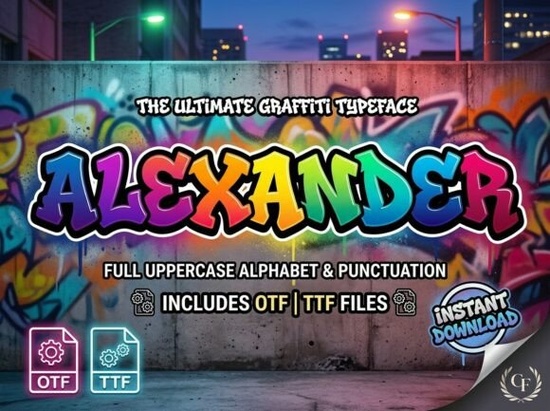
If you’ve been searching for a decorative font that balances bold personality with polished craftsmanship, the Alexander Font might be exactly what your next project needs. Designed for creators who want their typography to stand out without sacrificing professionalism it’s built with intricate details and expressive letterforms that command attention in just the right way.
Unlike generic display fonts that rely on gimmicks, Alexander Font leans into artistic nuance. Each character feels intentional, almost hand-crafted, making it ideal when your design hinges on strong visual impact. Whether you’re working on branding, social graphics, or printed merchandise, this font adds depth and distinction without overwhelming your layout.
What kinds of projects work best with Alexander Font?
This isn’t a font you’d use for body text but that’s by design. Its strength lies in short, impactful applications where legibility meets style. Here’s where it truly shines:
- Poster and flyer headlines: Draw eyes instantly with lettering that feels custom-made.
- Logo and brand identity: Especially for creative studios, boutiques, or lifestyle brands wanting a memorable mark.
- Apparel and merch: From T-shirts to tote bags, the font’s character translates beautifully to fabric and print.
- Social media quotes or announcements: Stand out in crowded feeds with typography that feels elevated but not overdone.
- Packaging design: Gives products an artisanal, premium feel great for small-batch goods or limited editions.
- Music and event visuals: Album covers, gig posters, or festival branding benefit from its dramatic yet refined presence.
Is it easy to use if I’m not a pro designer?
Absolutely. Alexander Font works across both professional and beginner-friendly platforms. You can install it on Mac or PC and use it seamlessly in Adobe Creative Suite (Illustrator, Photoshop, InDesign) as well as more accessible tools like Canva, Microsoft Word, and Cricut Design Space. That means whether you're crafting vinyl decals, designing digital ads, or mocking up a logo in your browser, the font integrates smoothly.
For crafters using cutting machines like Cricut or Silhouette, the clean vector outlines ensure precise cuts no jagged edges or unexpected spacing issues. And because it’s a single-style decorative font (not a variable or script with complex alternates), there’s less guesswork involved in getting consistent results.
How does it compare to other decorative fonts?
Many display fonts lean heavily into trends grunge textures, exaggerated swashes, or ultra-thin lines that can date quickly. Alexander Font avoids those pitfalls by focusing on timeless structure with subtle artistic flair. The strokes have weight and presence, but the spacing remains balanced, so your text doesn’t feel cluttered even at large sizes.
It also maintains readability at a glance, which is crucial for logos or packaging where viewers only have seconds to process your message. You’ll find similar aesthetics in high-end editorial design or boutique branding think indie magazines, artisan coffee labels, or modern art galleries.
If you’re exploring options in this style, you might also want to browse other decorative fonts that share this balance of creativity and clarity. While each has its own voice, Alexander stands out for its versatility across both digital and physical mediums.
Tips for using Alexander Font effectively
Because it’s so visually rich, less is often more. Stick to short phrases brand names, taglines, or single words and give the letters room to breathe with generous line spacing or ample negative space around them. Pair it with simple, neutral sans-serifs (like Montserrat, Lato, or Helvetica Neue) for body text or supporting copy to keep the focus where it belongs.
Avoid using it in all caps for long sentences; the detailed forms can start to blur together. Instead, use title case or sentence case to preserve the unique shapes of ascenders and descenders. And always test your design at actual size what looks crisp on screen might lose detail when printed small or viewed on mobile.
Before you download, check this quick list:
- ✅ Confirm your software supports .OTF or .TTF files (most do).
- ✅ Review licensing terms if you’re using it for client work or commercial products.
- ✅ Pair it with minimal design elements let the font be the star.
- ✅ Test print or mockup your final design to ensure legibility in real-world conditions.
If your goal is to create designs that feel intentional, distinctive, and professionally crafted without chasing fleeting trends Alexander Font offers a reliable foundation. It’s the kind of typeface that quietly elevates your work simply by being present.
Explore Design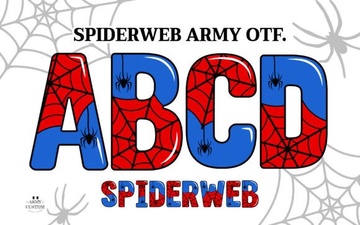 Spiderweb Army: a Free Gothic Font for Digital Projects
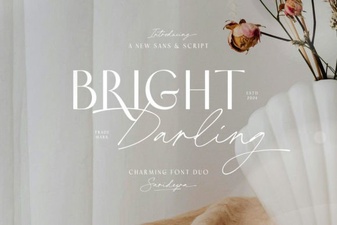 Introducing the Bright Darling Duo Web Font
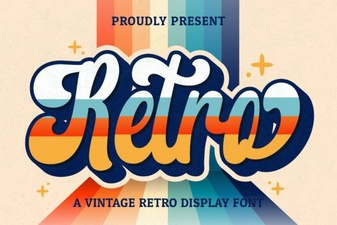 Retro Script Fonts: Elevate Your Vintage Design Projects
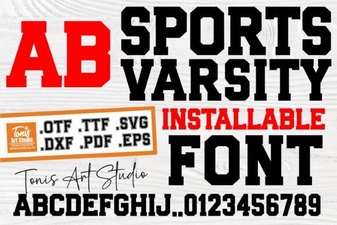 Design a Winning Logo with Sports Varsity Font
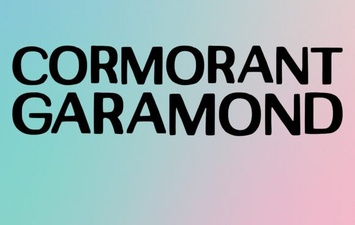 Cormorant Garamond: Elevating Typography for Creatives
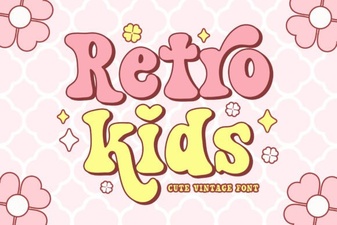 Design Retro Fonts for Kid-Friendly Projects