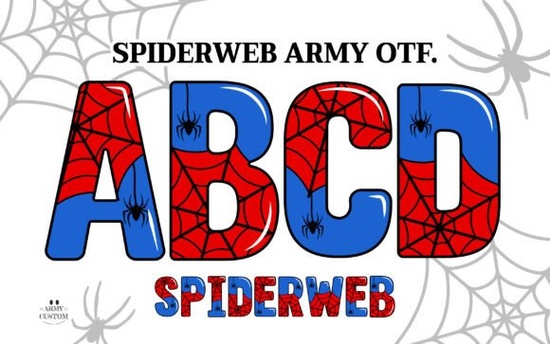
If you're working on a Halloween-themed design, spooky invitation, or eerie branding project, the Spiderweb Army Font offers a distinctive visual twist that’s hard to replicate with standard typefaces. Unlike typical fonts, this one blends gothic letterforms with delicate spiderweb textures some versions even include full-color webbing built right into each character. It’s not just decorative; it’s functional art for creators who want their typography to do more than just convey words.
Designed with both digital artists and physical crafters in mind, Spiderweb Army comes in two main formats: a vibrant OpenType SVG color font and a solid black version. The color version shines in software like Adobe Photoshop CC 2017+ and Illustrator CC 2018+, where OpenType SVG support brings the intricate webs to life in rich detail. However, if you’re using Cricut Design Space or another cutting machine platform, stick with the black variant it’s fully compatible and cuts cleanly for vinyl, paper, or fabric projects.
What makes this font different from other spooky fonts?
Most “spooky” fonts rely on jagged edges, drips, or cracks to suggest a haunted vibe. Spiderweb Army takes a subtler, more atmospheric approach. Each letter is woven with fine, realistic spiderwebs that wrap around stems and curves, creating depth without overwhelming readability. This balance makes it especially useful for:
- Halloween party invitations and signage
- Print-on-demand apparel (think tees with cryptic quotes)
- Book covers or chapter headers for mystery and horror genres
- Branding for escape rooms, haunted tours, or seasonal pop-ups
And because it includes bonus PNG files one per character you can still use the detailed webbed look even in apps that don’t support color fonts. Just drag and drop the PNGs into Canva, Procreate, or your favorite mobile design tool.
Can I use it with my cutting machine?
Yes but only the black version. The color OTF file uses layered vector graphics that Cricut Design Space and similar platforms can’t interpret. However, the included solid-black font works perfectly for cutting projects. Whether you’re making window clings, iron-on transfers, or layered cardstock decor, the clean outlines ensure crisp results every time.
For those exploring colorful font options for seasonal designs, this product stands out because it doesn’t sacrifice usability for style. The dual-format delivery (color OTF + black OTF + PNGs) means you’re covered across digital, print, and physical crafting workflows.
How do I know if my software supports the color version?
OpenType SVG color fonts are supported in:
- Adobe Photoshop (CC 2017 and newer)
- Adobe Illustrator (CC 2018 and newer)
- Affinity Designer (version 1.7+ on macOS)
- CorelDRAW (2019 and later, with limitations)
If you’re unsure, try installing the font and typing a few letters in your preferred app. If you see full-color webs instead of flat glyphs, you’re good to go. If not, fall back on the PNGs they’re high-resolution and transparent-background ready.
For reference, you can view the original listing on Creative Fabrica: Spiderweb Army Font.
Tips for getting the best results
To make the most of this font without overdoing it:
- Use it sparingly. A single headline or logo mark often has more impact than body text.
- Pair it wisely. Combine with clean sans-serifs (like Montserrat or Lato) to maintain readability.
- Adjust tracking. Slightly increase letter spacing to let the webs breathe especially in uppercase.
- Test print contrast. On dark backgrounds, the black version may need a subtle white outline to stay legible.
Remember: the charm of Spiderweb Army lies in its texture, not its boldness. It’s meant to intrigue, not shout.
Before you start your next project, double-check your software compatibility and decide whether you’ll use the color OTF, black OTF, or PNGs. Having all three gives you creative freedom but knowing which to use when saves time and frustration.
Try It Free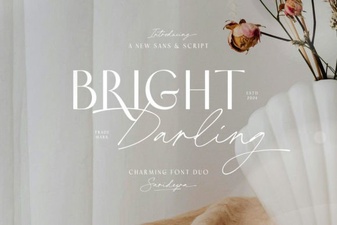 Introducing the Bright Darling Duo Web Font
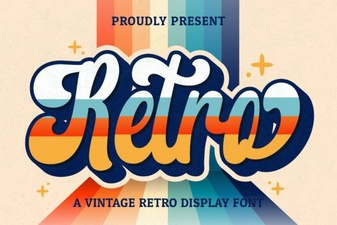 Retro Script Fonts: Elevate Your Vintage Design Projects
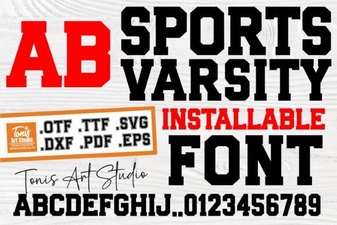 Design a Winning Logo with Sports Varsity Font
 Cormorant Garamond: Elevating Typography for Creatives
 Design Retro Fonts for Kid-Friendly Projects
 Christmas Fonts for Welcoming Holiday Designs